What a bug card needs
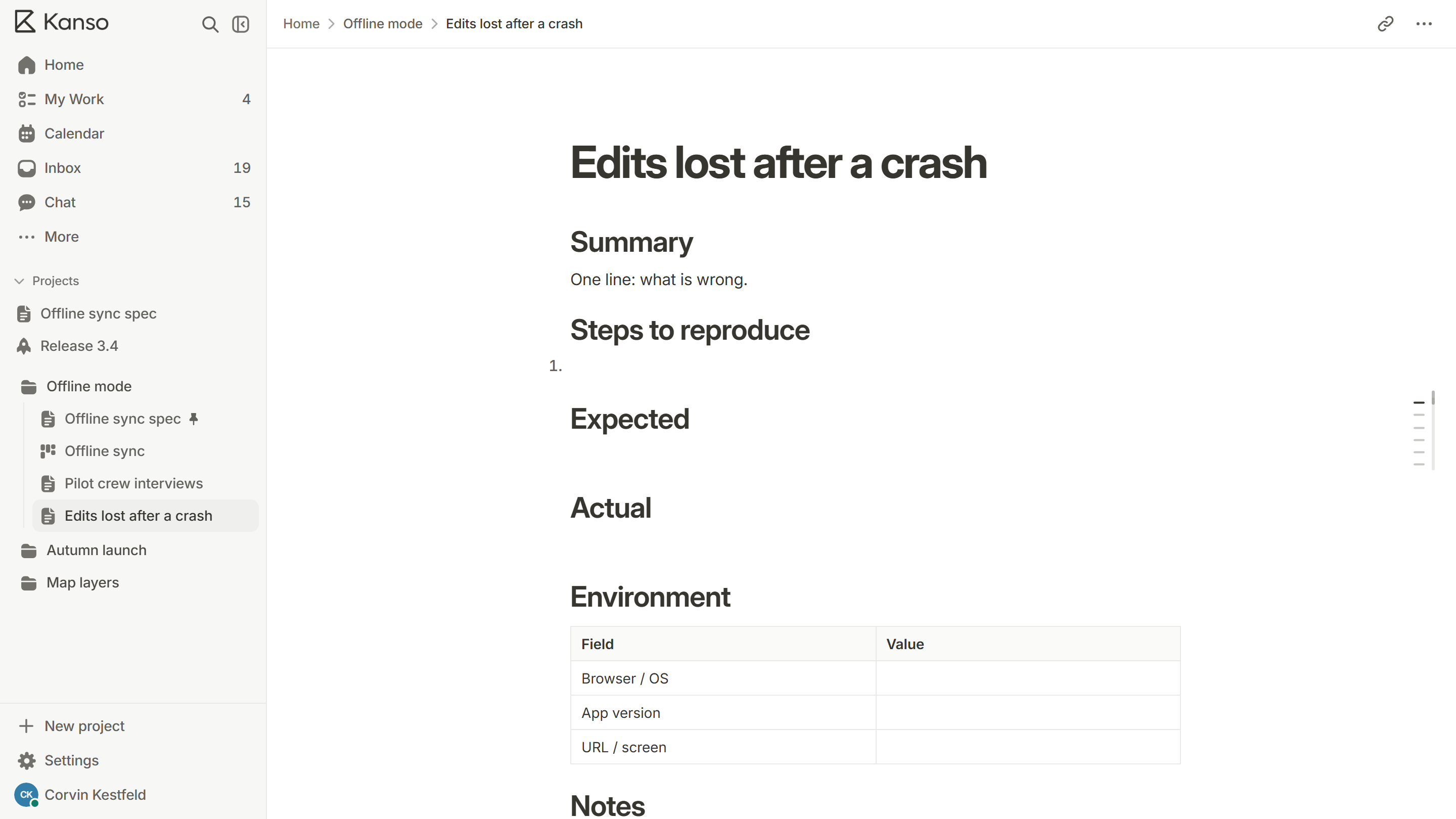
A bug that cannot be reproduced cannot be fixed, and a card that makes the fixer ask questions will sit. Every bug card should answer five things.
- Summary: one line saying what is wrong.
- Steps to reproduce: numbered, starting from a clean state.
- Expected and actual: what should have happened, and what did.
- Environment: browser or device, version and the account or data involved.
- Evidence: a screenshot, a recording or the error text.
The bug report template has these ready, so reporters fill in a form, not a blank page.
Severity and priority are different
Severity is how bad the bug is. Priority is when it gets fixed. A typo on the sign-up page is low severity but may be high priority because every new visitor sees it. A crash in a rarely used export is high severity and may be low priority. Record both, and rank the board by priority.
| Priority | Meaning | Example |
|---|---|---|
| Must | Fix before anything else ships | Users cannot log in |
| Should | Fix in the next planned work | The save button needs two clicks |
| Could | Fix if there is time | A label is misaligned on one screen size |
Must
Meaning
Fix before anything else ships
Example
Users cannot log in
Should
Meaning
Fix in the next planned work
Example
The save button needs two clicks
Could
Meaning
Fix if there is time
Example
A label is misaligned on one screen size
Triage on a schedule
Set a fixed time, weekly or twice a week, when someone looks at every new bug. For each one, decide: duplicate, needs more information, accepted and ranked, or declined with a reason. Triage is a decision, not a discussion. Ten minutes is usually enough.
A board for bugs
A simple set of columns is Reported, Triaged, Fixing, Verify and Done. Put a work-in-progress limit on Fixing so the team finishes fixes before starting new ones, and make Verify a real step: the person who reported it, or a tester, confirms the fix.
Keep the board from becoming a graveyard
- Close bugs that have been Could for six months. If they mattered, someone would have raised them.
- Merge duplicates into one card and note the other reports on it.
- Count new bugs and fixed bugs each week. If new outnumber fixed, say so and decide what to do.
- Fix bugs in the same cycle as features, not in a “bug sprint” that never arrives.
A bug card, filled in
Bugs that come from customers
- Thank the customer, and say what will happen next, even if it is only “we have it”.
- Reproduce it yourself before you file it. A customer’s description is a starting point, not a report.
- File it with the customer’s words and the steps you used to reproduce it.
- Tell the customer when it is fixed. This costs nothing and earns a great deal.
Find the cause, not just the fix
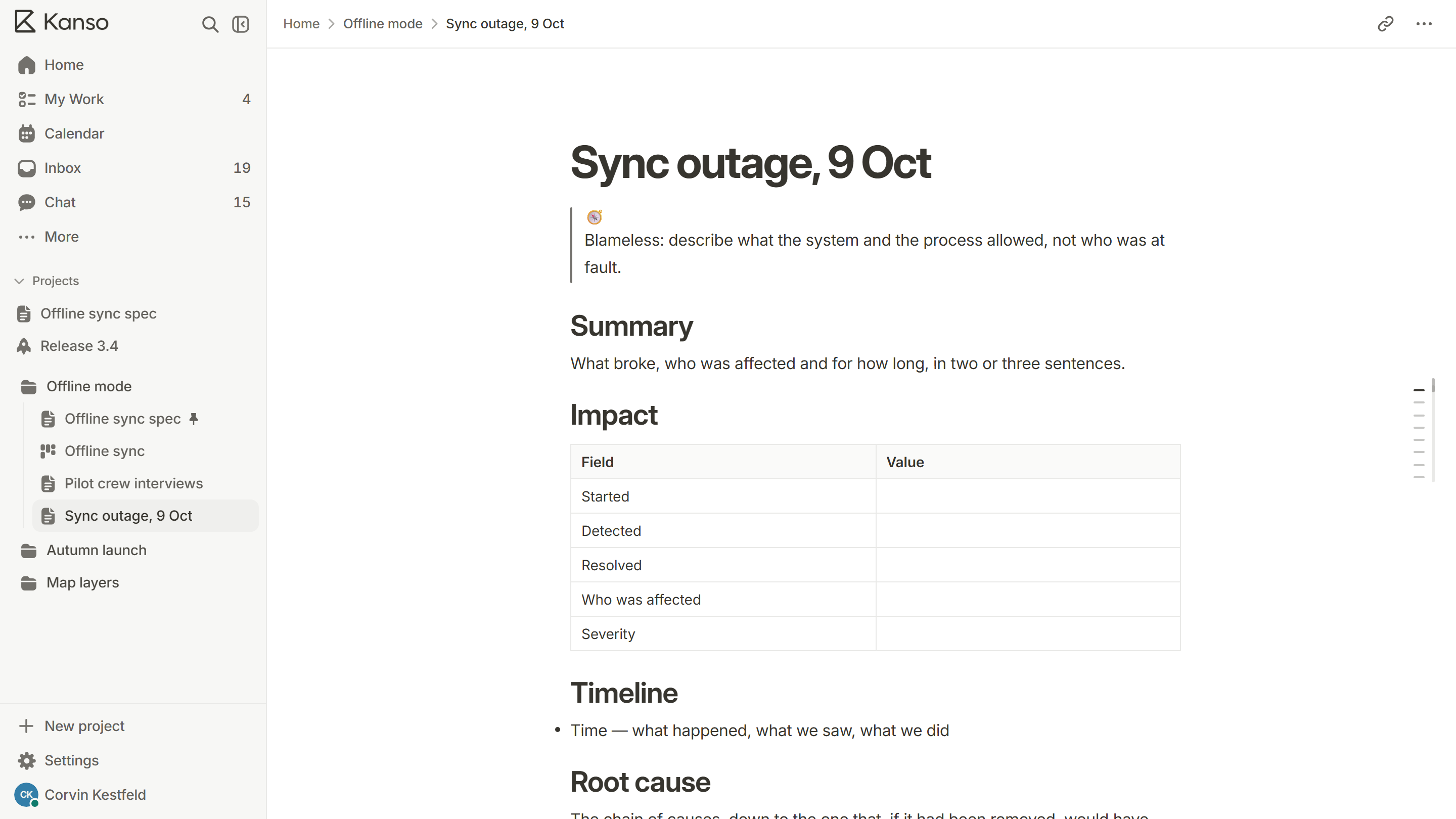
When a bug turns out to be serious, ask how it got through. Was there a test that should have caught it? Was the requirement unclear? Was the change too big to review? Fixing the bug repairs one case. Fixing the reason repairs the next hundred. For serious ones, write a short postmortem.
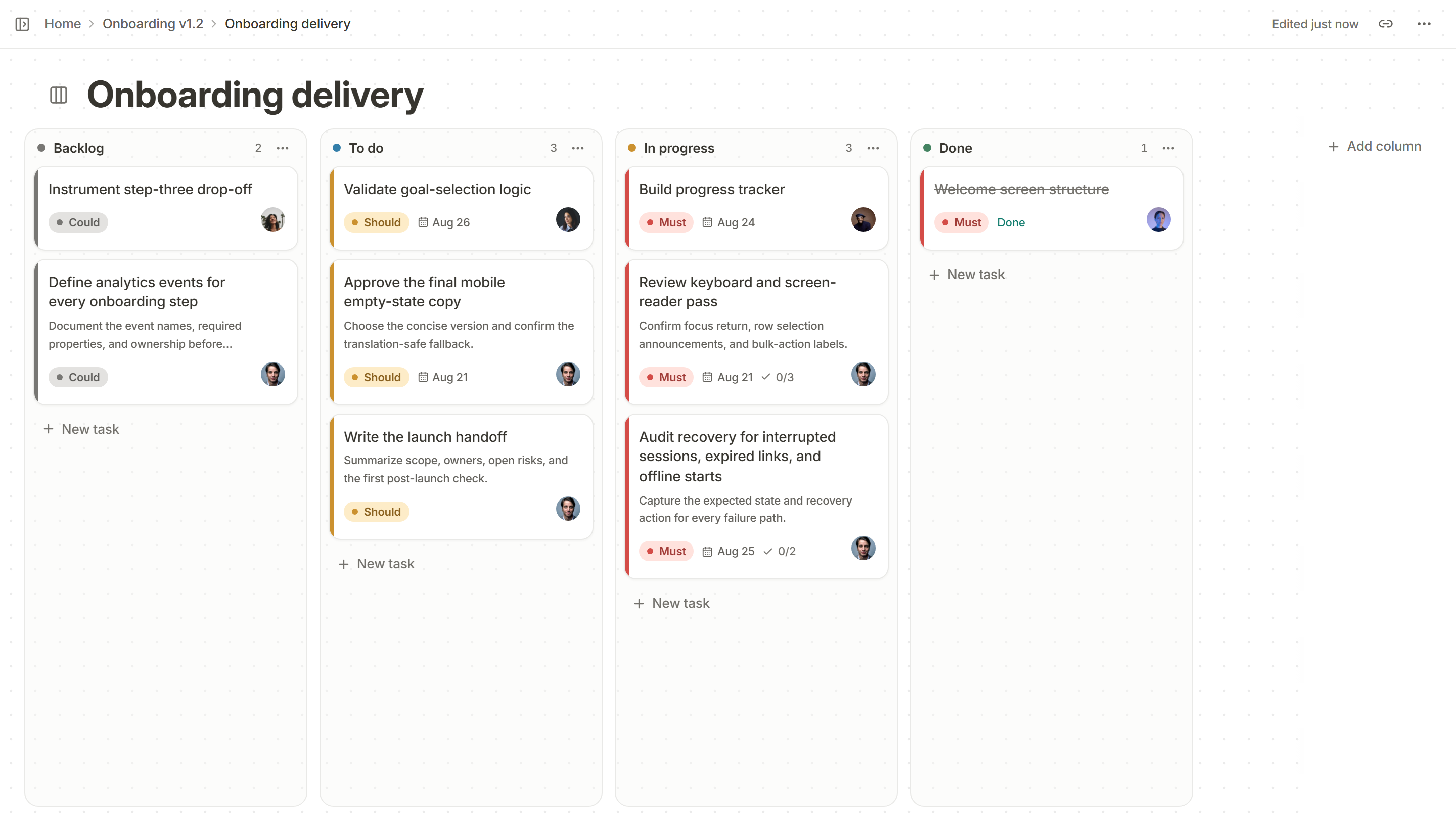
A bug board in Kanso
Each bug is a card on a Kanso board with an owner, a due date and a priority of Must, Should or Could. Write what “fixed” means as the card’s acceptance criteria, and the card shows how many are met. Paste a card into team chat and the message shows its current status, so a thread about a bug never goes stale.