

Retrospective template
A look back that ends in one or two changes someone owns.
- Stage
- Ship
- Sections
- 5
- Updated
How to fill it in
- 1Read last time’s changes first.
- 2Write notes alone, then group them.
- 3Pick the two topics that matter most.
- 4Agree one change each, with an owner.
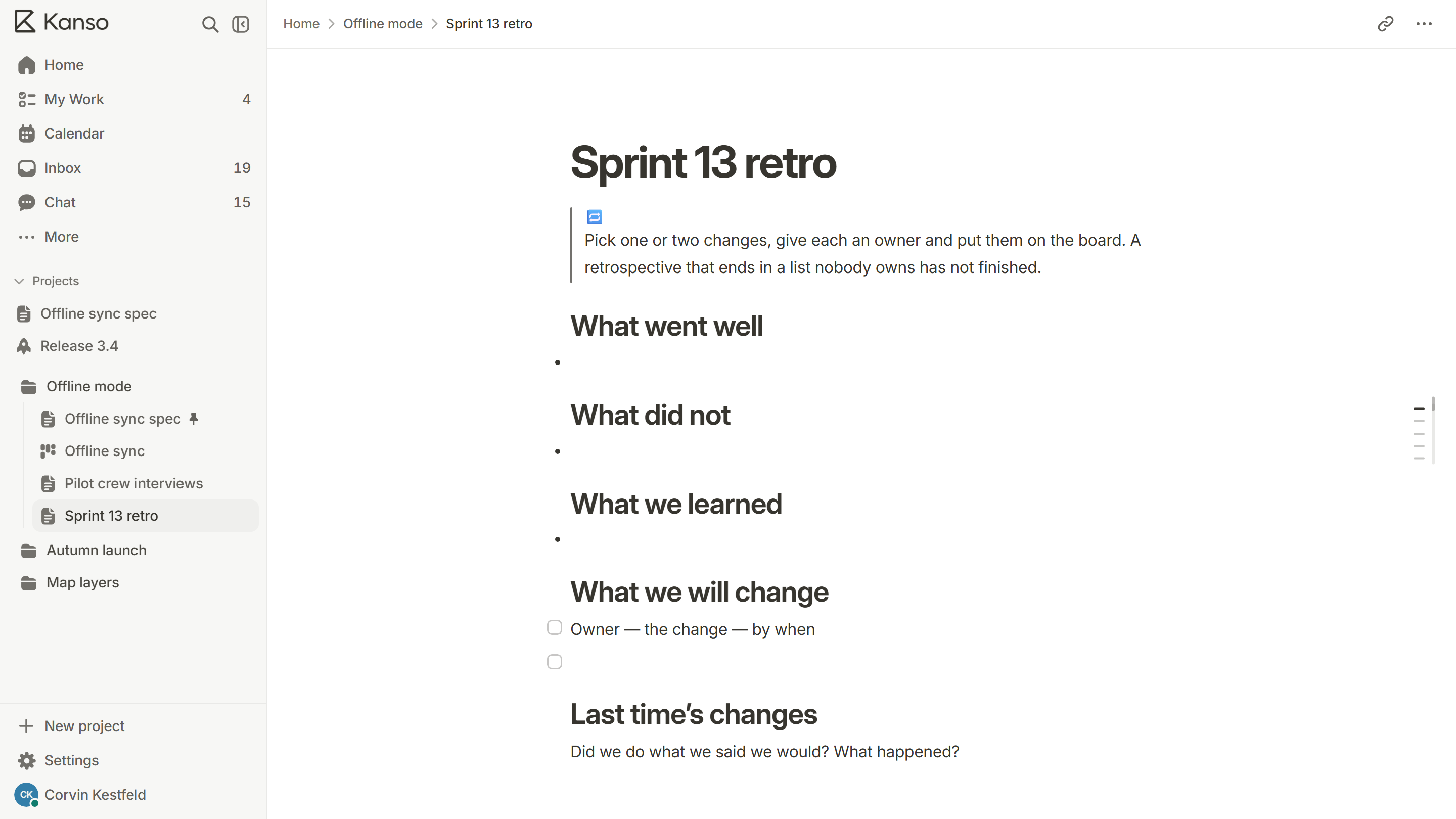
Pick one or two changes, give each an owner and put them on the board. A retrospective that ends in a list nobody owns has not finished.
What went well
What did not
What we learned
What we will change
- Owner — the change — by when
Last time’s changes
Did we do what we said we would? What happened?
What’s inside 5
- What went well
- What did not
- What we learned
- What we will change
- Last time’s changes
Where to find it
In Kanso, add a page and pick this template, or type / in any doc.
Read the guide: How to run a retrospective that changes something
Questions
An outline for a team look back, with headings for what went well, what did not, what was learned and what will change.
More templates
All templates
Use the retrospective in Kanso.
Free does not expire. No card required.