What a retrospective is for
A retrospective, or retro, is a meeting held at the end of a sprint, a release or a project to ask: what went well, what did not and what should we change? It is how a team improves its own way of working, a little at a time.
A format for an hour
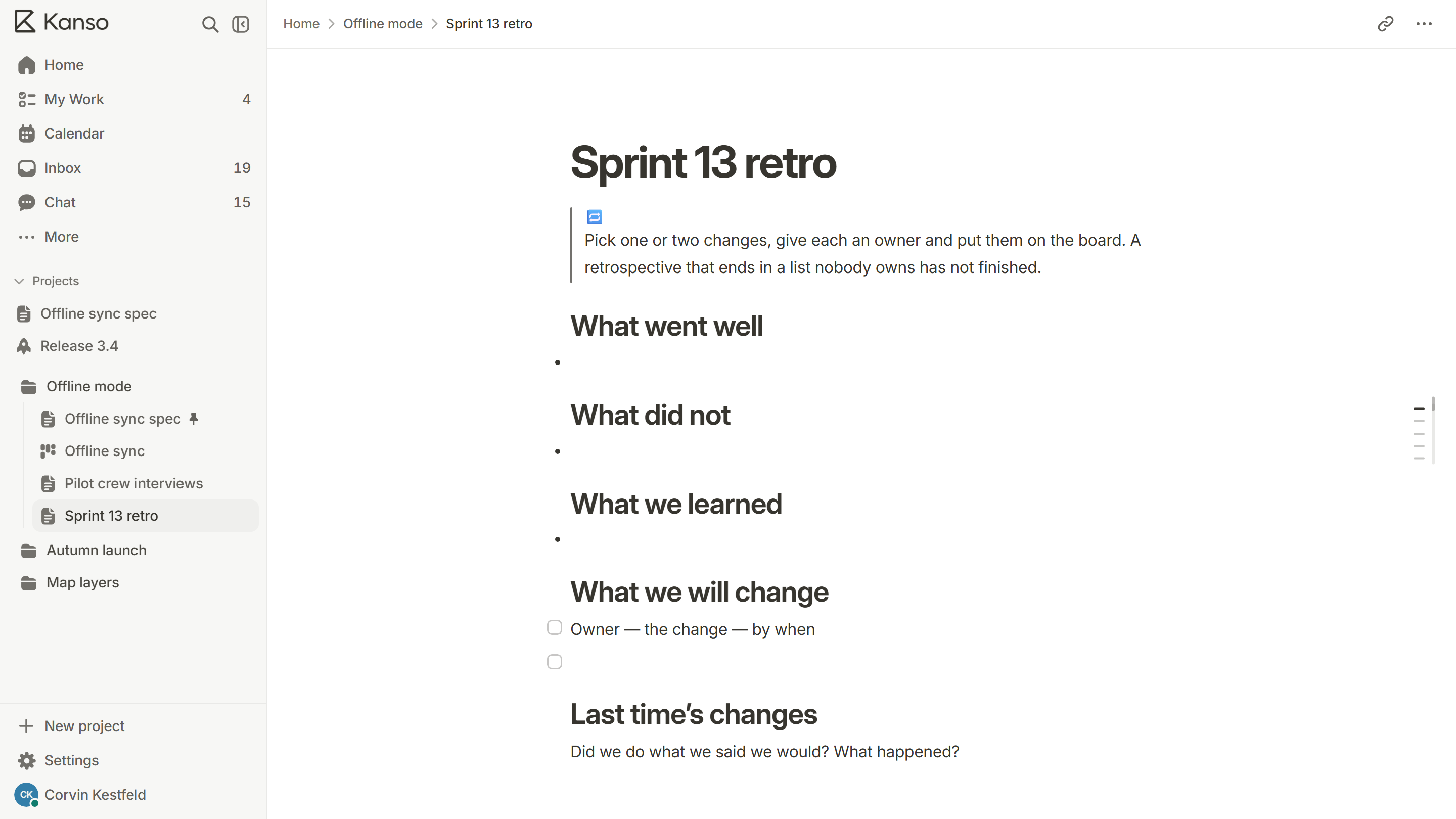
- Set the tone (5 minutes). State the aim and remind everyone that the point is the process, not the people.
- Check last time’s changes (5 minutes). Did we do what we said we would? What happened?
- Collect what went well and what did not (15 minutes). Everyone writes first, on their own, then the notes are grouped. Writing first stops the loudest voice from setting the agenda.
- Pick the few that matter (10 minutes). Vote, and discuss only the top two or three.
- Decide what to change (20 minutes). For each topic, agree one change that is small enough to try next sprint.
- Close (5 minutes). Read back the changes, each with an owner and a date.
What makes a retrospective useful
- Safety. People only say what is true when they are not afraid of the answer. Keep it blameless.
- Few changes. One or two changes that happen beat ten that do not.
- Owners. Every change has a name and a date. “We should” belongs to nobody.
- Follow-through. Start the next retro by checking the last one’s changes.
Keep it fresh
The same questions in the same order get stale. Change the shape now and then: ask what to start, stop and continue; ask for the one thing that slowed you down most; or look at a timeline of the sprint and mark the moments that felt good or bad. Rotate who runs it.
Mistakes to avoid
- Skipping it when the team is busy. That is when it matters most.
- Ending with a long list of actions that nobody owns.
- A manager running it who then judges what people said.
- Never looking at the changes from last time.
Formats to rotate through
| Format | How it works | Good when |
|---|---|---|
| Went well, did not, change | Three columns, then pick the changes | You want a plain default |
| Start, stop, continue | What to begin, drop and keep doing | The team needs to make decisions about habits |
| Four Ls | Liked, learned, lacked, longed for | You want more than complaints |
| Sailboat | What is the wind, what are the anchors, where are the rocks | The team needs to talk about risks and blockers |
| Timeline | Mark the high and low points of the sprint on a line | Something big happened and the team needs to look at it |
Went well, did not, change
How it works
Three columns, then pick the changes
Good when
You want a plain default
Start, stop, continue
How it works
What to begin, drop and keep doing
Good when
The team needs to make decisions about habits
Four Ls
How it works
Liked, learned, lacked, longed for
Good when
You want more than complaints
Sailboat
How it works
What is the wind, what are the anchors, where are the rocks
Good when
The team needs to talk about risks and blockers
Timeline
How it works
Mark the high and low points of the sprint on a line
Good when
Something big happened and the team needs to look at it
A 45-minute agenda
| Minutes | What happens |
|---|---|
| 0 to 5 | Set the aim. Read last time’s changes and how they went |
| 5 to 15 | Everyone writes notes on their own: what went well, what did not |
| 15 to 25 | Group the notes, then vote for the two or three that matter |
| 25 to 40 | For each one, agree one small change, with an owner and a date |
| 40 to 45 | Read the changes aloud, and say who will check them next time |
0 to 5
What happens
Set the aim. Read last time’s changes and how they went
5 to 15
What happens
Everyone writes notes on their own: what went well, what did not
15 to 25
What happens
Group the notes, then vote for the two or three that matter
25 to 40
What happens
For each one, agree one small change, with an owner and a date
40 to 45
What happens
Read the changes aloud, and say who will check them next time
Remote retrospectives
- Use a shared page where everyone writes at once, so people are not waiting for a turn.
- Keep cameras optional and give extra time to write; typing is slower than speaking.
- Run it at a time that is not the end of someone’s day in another time zone.
- Write the changes straight onto the board, so they exist before the call ends.
A retrospective in Kanso
Open the retrospective template in the project, fill it in together and turn each change into a card on the board with an owner and a due date. The next retro starts by opening the last one, so “last time’s changes” are the first thing on the page.