Why remote work needs different habits
In an office, a lot of coordination is accidental: you overhear, you see who is busy, you ask the person at the next desk. Remote teams lose that. The answer is not more meetings, which take people’s time across time zones. It is making the information available without anyone having to ask.
Write it down
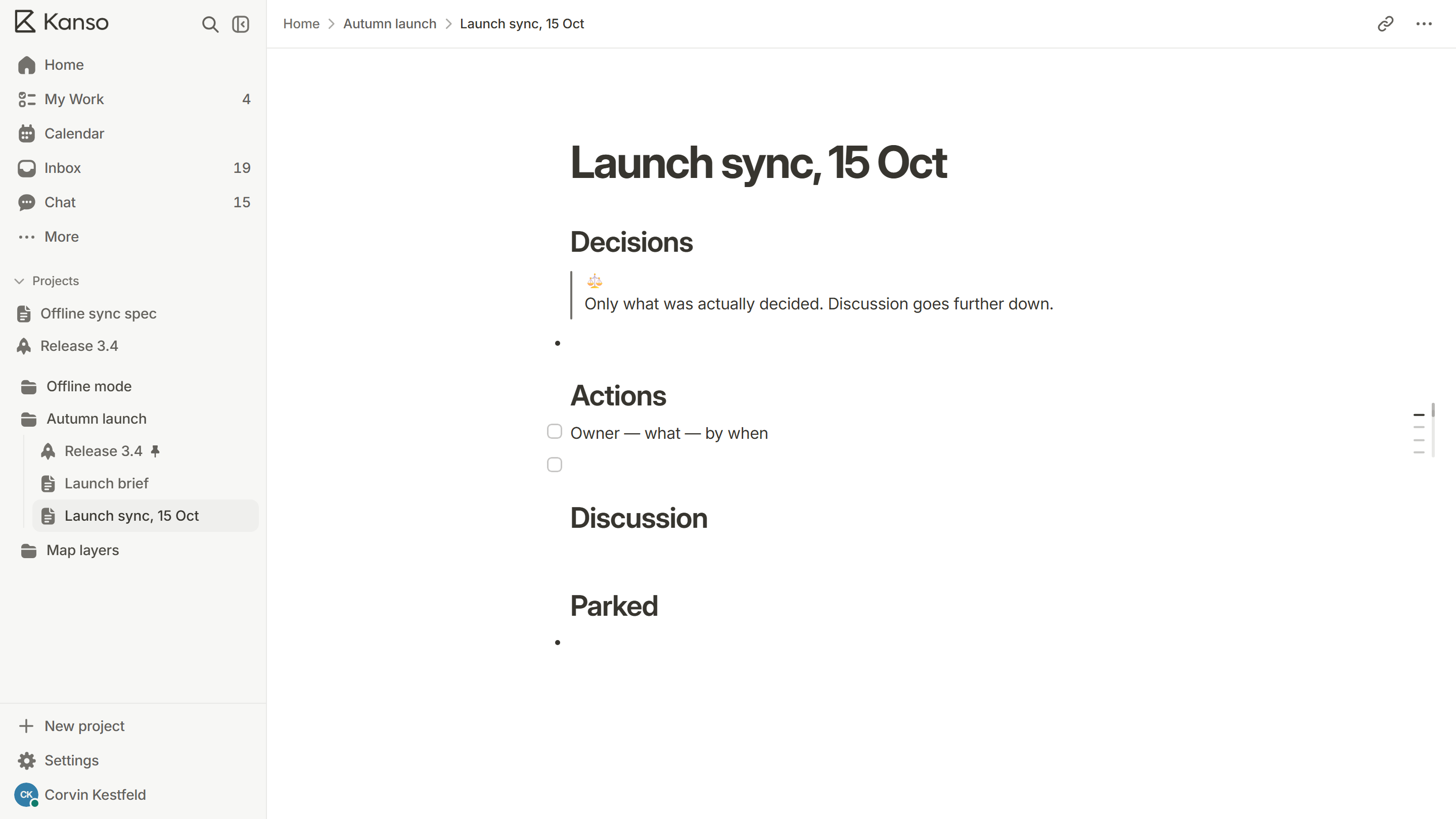
- Put plans, decisions and specs in documents, not only in calls.
- Write for a reader who is joining next month, in another time zone.
- Link the doc from the task and the task from the doc.
- Record each decision with its reason, in one place.
Make status visible
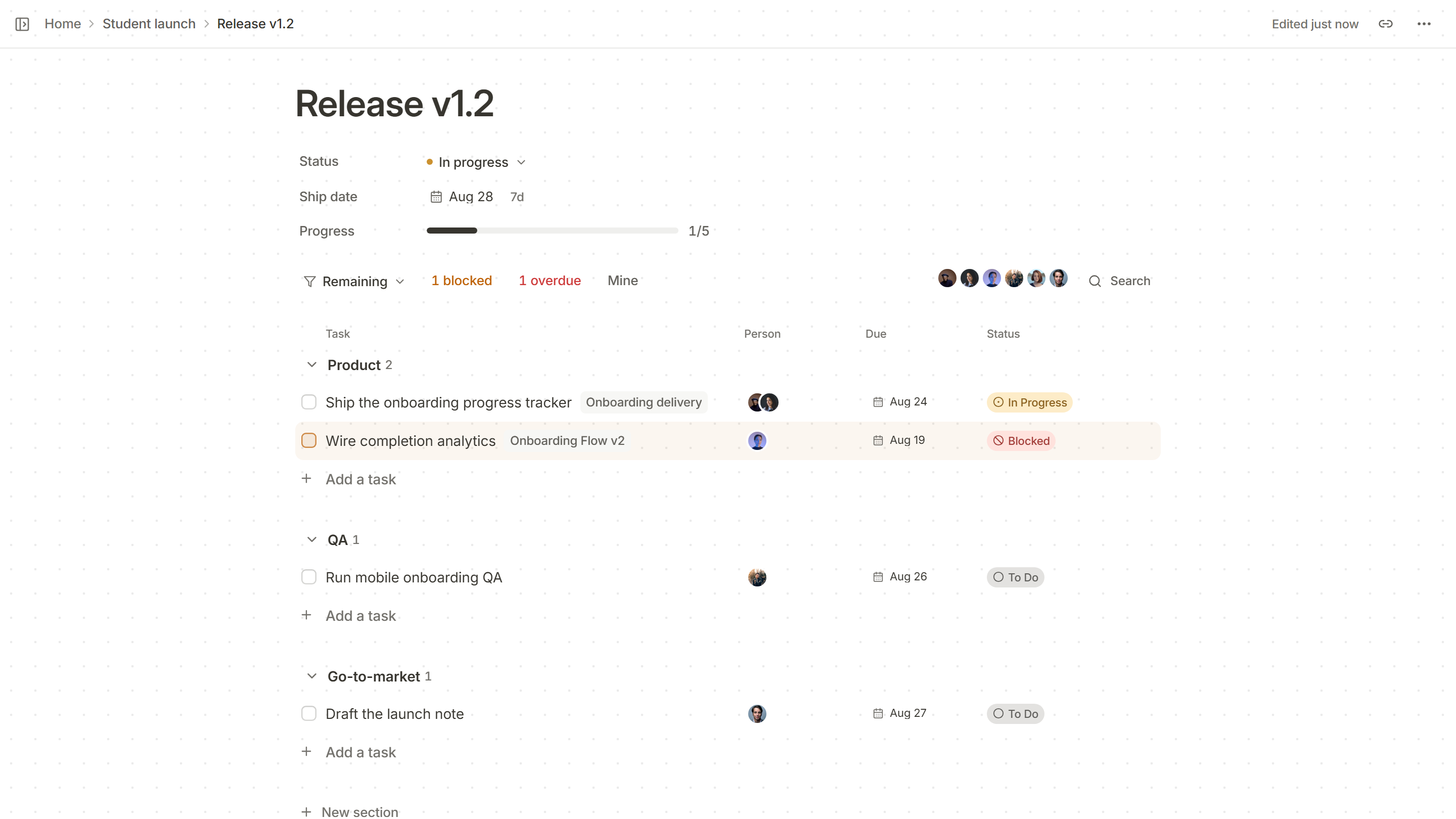
The board should answer “what is everyone doing?” without a stand-up. Every card has an owner and a state; blocked work is marked blocked. Then a daily call, if you have one, can be about the problems, not the status.
Use chat well
- One channel per area of work, not per person. Name them for what they are for.
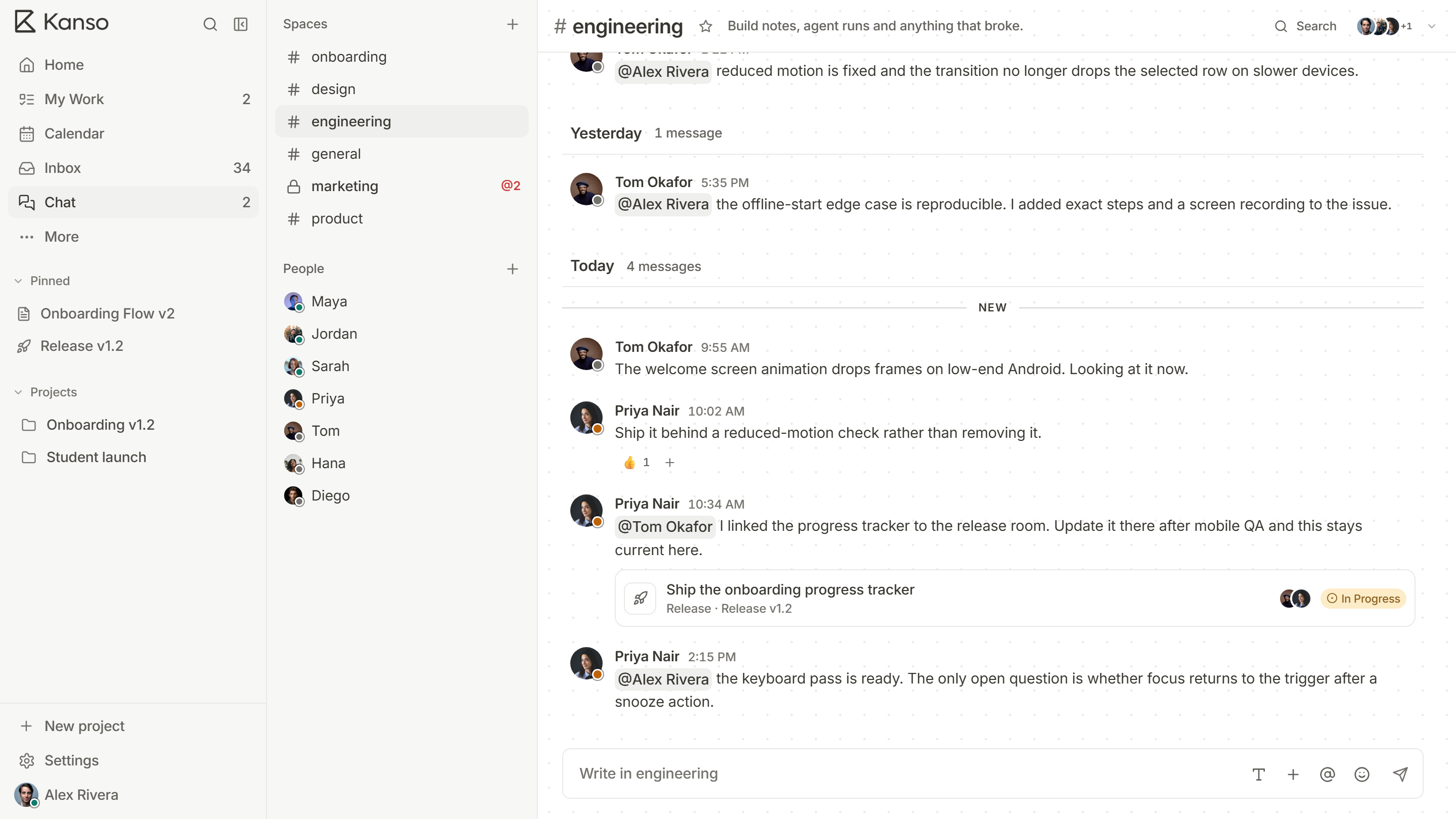
- Link, do not copy. Paste the task, not a description of it, so people see its current status.
- Decide in the thread, then record the decision on the card or in the doc.
- Use @mentions for requests and keep a no-reply-needed norm for the rest.
- Expect an answer by a time, not at once. Say when you need one.
Handle time zones
- Hand off work in writing at the end of your day: where it is, what is next, what is blocked.
- Agree a window of overlap for the few real-time conversations.
- Share dates in one time zone, or use a calendar that shows each person’s own.
Keep meetings for what needs them
Decisions with many people, sensitive conversations and creative work are good uses of a call. Status updates and announcements are not. Share an agenda in advance, take notes with decisions and actions and send them to everyone.
Look after the people
Remote work removes the small human moments. Make room for them on purpose: a channel for non-work talk, a regular catch-up that is not about tasks, and a retrospective that asks how the team feels about working this way.
Rituals that carry a remote team
| Ritual | Why it helps | How to keep it light |
|---|---|---|
| A written daily or weekly update | Everyone knows what is moving without a call | Three lines each: done, next, blocked |
| A short weekly sync | The team sees each other and settles open questions | Thirty minutes, agenda shared in advance |
| A regular retrospective | The team improves how it works remotely | Every few weeks, with written notes first |
| A catch-up that is not about tasks | Keeps the human side alive | Optional, and short |
A written daily or weekly update
Why it helps
Everyone knows what is moving without a call
How to keep it light
Three lines each: done, next, blocked
A short weekly sync
Why it helps
The team sees each other and settles open questions
How to keep it light
Thirty minutes, agenda shared in advance
A regular retrospective
Why it helps
The team improves how it works remotely
How to keep it light
Every few weeks, with written notes first
A catch-up that is not about tasks
Why it helps
Keeps the human side alive
How to keep it light
Optional, and short
Documentation habits
- Write for someone who will read it next month, in a different time zone, without you.
- Give every page an owner and a date, so readers can judge how far to trust it.
- Prefer a link to a copy. A link stays correct as the page changes.
- Put the answer first and the reasoning below.
Signs it is not working
- People ask the same question in three channels.
- Decisions are made in calls that half the team did not attend, and not written down.
- The newest person cannot find where anything lives.
- People feel they must be online all day to be seen as working.
Each of these has the same cure: more writing, fewer assumptions and a place for everything.
Remote teams in Kanso
Specs and decisions live in docs, where teammates can see who is editing at the same time. Status lives on the board. Chat links to the task a message is about, and mentions reach the person’s inbox so nothing depends on scrolling back. See Kanso for teams.