What release planning is
Release planning is deciding what will ship, when, and what has to happen first. It turns “we should launch soon” into a date, a list of work with owners and a way to see, any morning, whether the date is still safe.
The seven steps
- Fix the date, or the scope, but not both. If the date is fixed, scope flexes. If the scope is fixed, the date does. Say which one you are choosing.
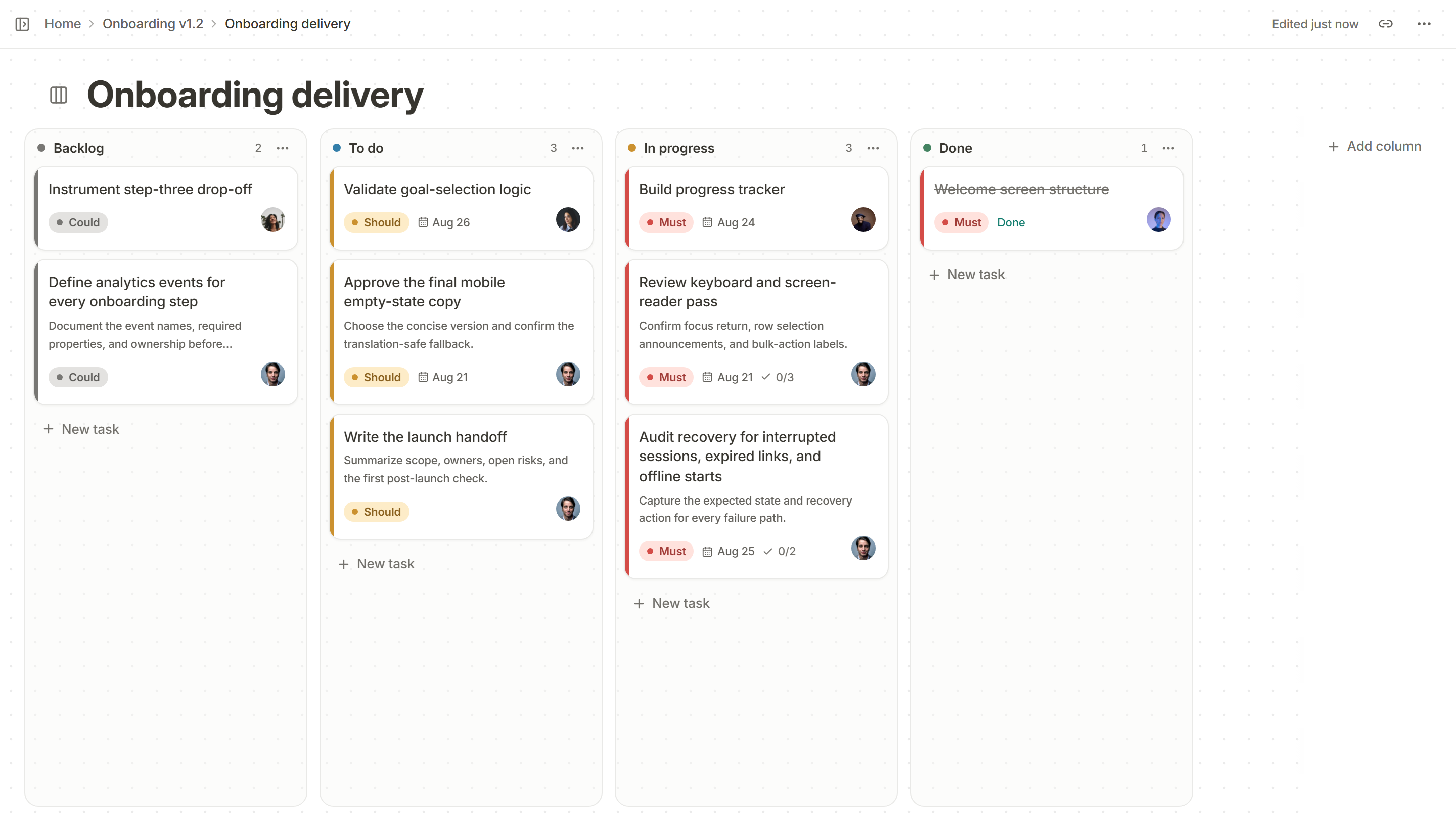
- Decide what is in. List every candidate item and rank it. The MoSCoW method works well: Must, Should, Could, and what you will not do.
- Freeze the scope. After a set point, a new Must requires an old one to leave.
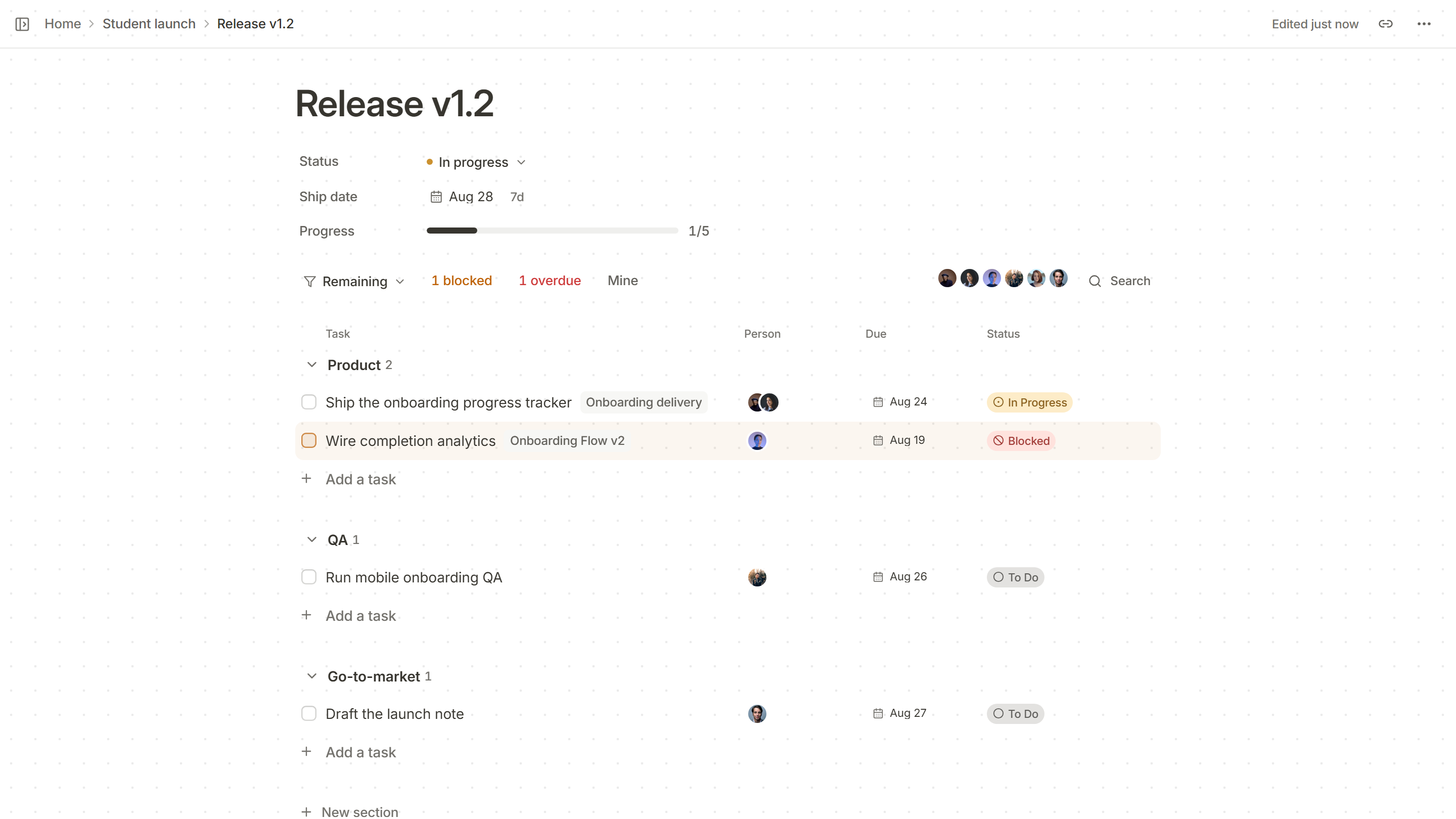
- Split the work by team. Product, engineering, QA, design, go-to-market and support each get their own list under the one date.
- Give every line an owner, a due date and a status. Todo, in progress, blocked or done. A line with no owner is not planned.
- Track what is blocked. Review blockers daily in the last two weeks. A blocked line that is not discussed becomes a late release.
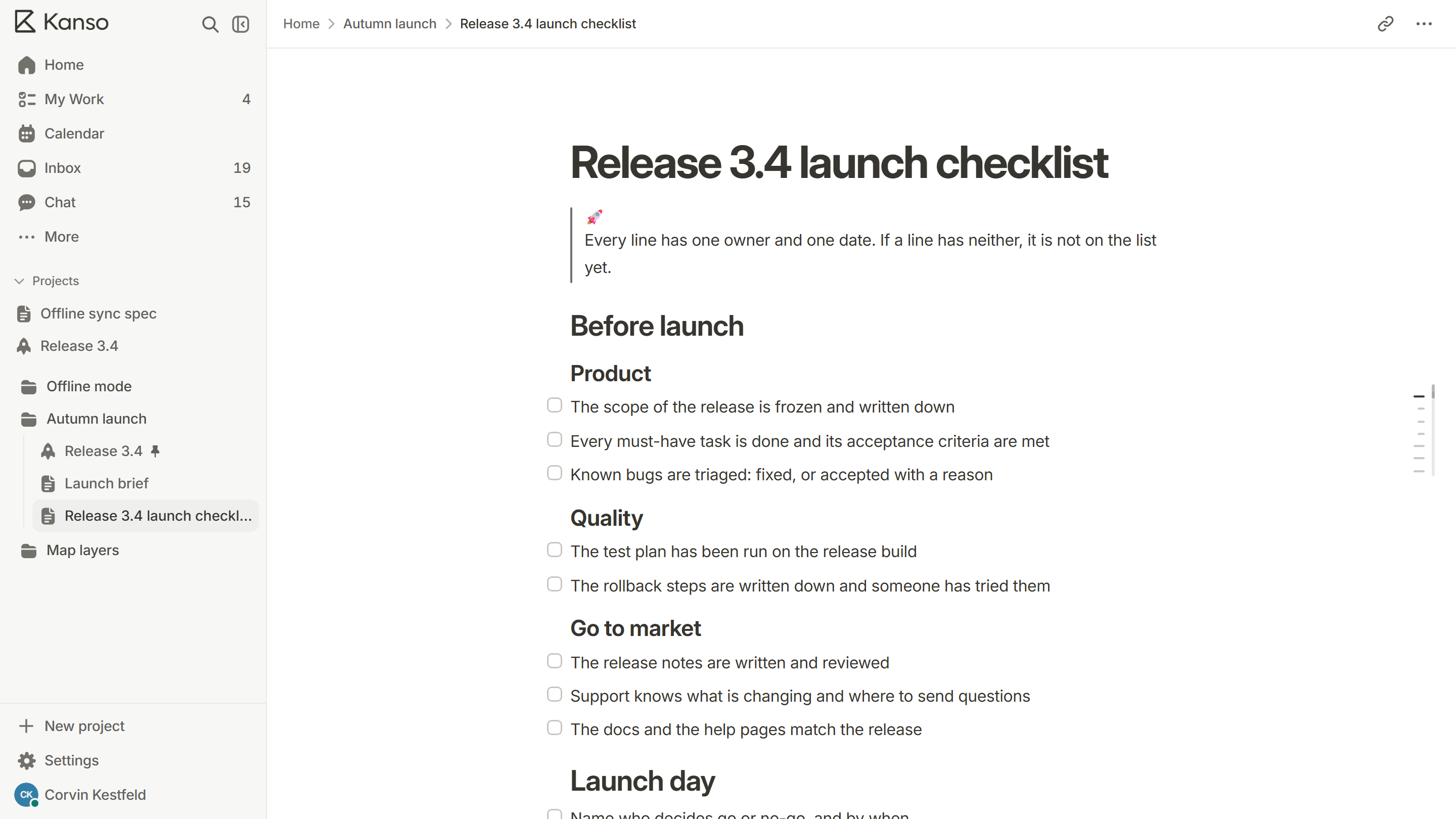
- Decide go or no-go in advance. Name who decides, what they will look at and when. Use the launch checklist.
What a release plan looks like
Signals that the date is at risk
- More than one blocked line for more than two days.
- Lines due this week that nobody has started.
- New Musts added after the scope was frozen.
- The same item moving its due date more than once.
When you see them, act early: move a Should out, add help to the blocked line, or move the date and say so. Moving a date in week one is a conversation. Moving it on the last day is a failure.
After the release
Look at the numbers after a day and a week, thank the people who carried the hard parts and hold a retrospective. The plan for the next release starts with what you learned.
Ways to release
How you release changes how you plan. The main patterns:
| Pattern | How it works | Good for | Watch for |
|---|---|---|---|
| All at once | Everyone gets the release on the same day | Small changes and small user bases | A problem hits everyone |
| Phased | A small share of users first, then more | Changes with risk you cannot fully test | Two versions live at once |
| Behind a feature flag | The code ships off, then is switched on | Separating shipping from launching | Flags that are never removed |
| Scheduled train | A release goes out on a fixed day, with whatever is ready | Larger teams with many changes | Pressure to squeeze work into the train |
All at once
How it works
Everyone gets the release on the same day
Good for
Small changes and small user bases
Watch for
A problem hits everyone
Phased
How it works
A small share of users first, then more
Good for
Changes with risk you cannot fully test
Watch for
Two versions live at once
Behind a feature flag
How it works
The code ships off, then is switched on
Good for
Separating shipping from launching
Watch for
Flags that are never removed
Scheduled train
How it works
A release goes out on a fixed day, with whatever is ready
Good for
Larger teams with many changes
Watch for
Pressure to squeeze work into the train
Who does what
- Release owner: owns the date, the plan and the go or no-go. One name.
- Engineering lead: says what is built, what is risky and what the rollback is.
- QA lead: says what has been tested, and what has not.
- Go-to-market and support: tell customers, and know what to say when they ask.
On a small team, one person may hold several of these roles. The point is that each question has a name beside it.
The first week and the last week
The two ends of a release plan feel different. In the first week, the work is deciding: what is in, who owns it, what the date is. In the last week, the work is watching: what is blocked, what is untested, what has changed since the scope was frozen. Plan time for both, and keep the last week as quiet as you can. New scope arriving in the last week is the most common cause of late releases.
Release planning in Kanso
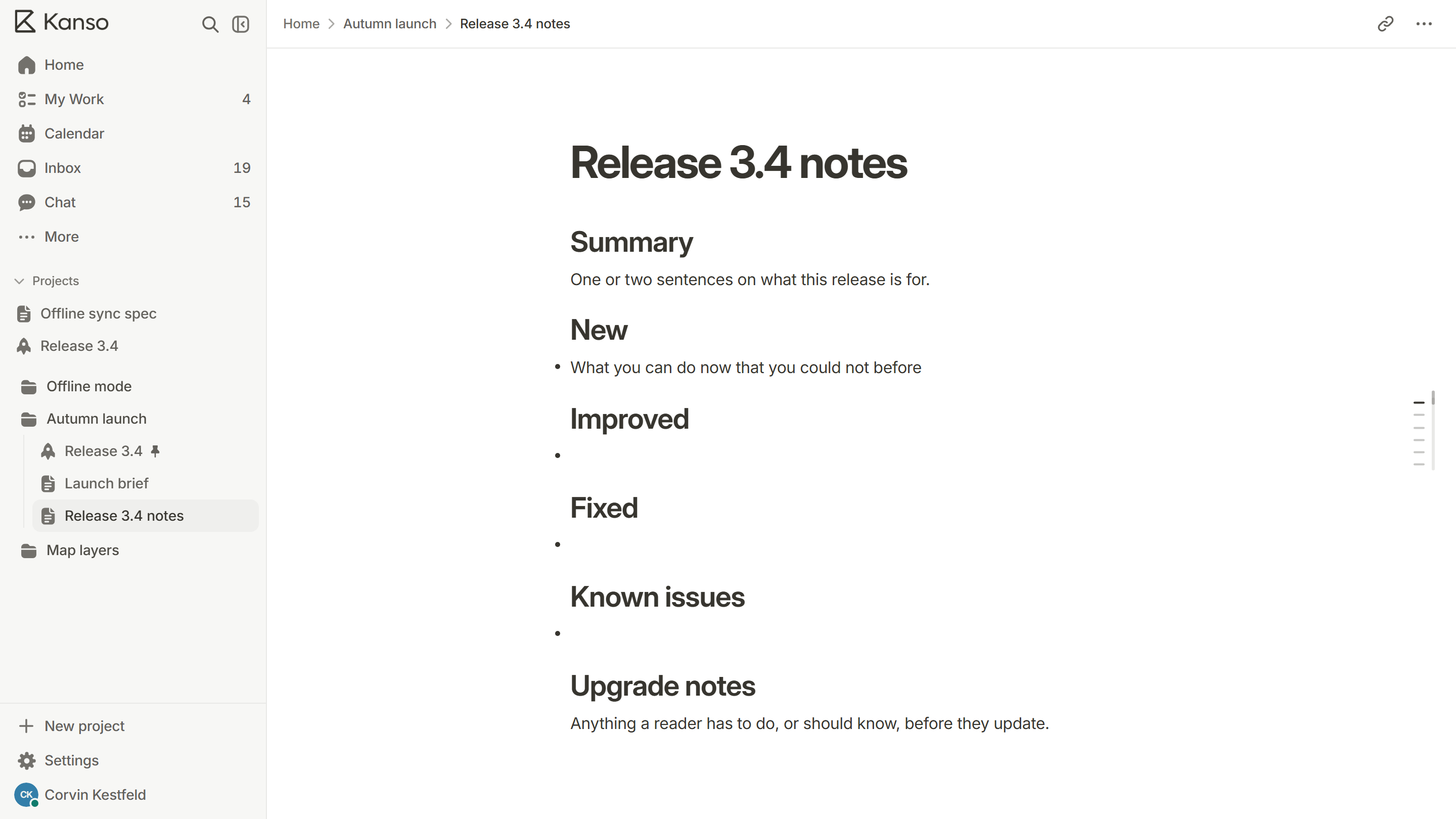
A Kanso release page gathers the work behind one date into sections, with an owner, a due date and a status on every line. One click narrows it to what is blocked or overdue, and each line links to the real task on your boards, so nothing is written twice. Start from the launch checklist template and give each team its own section.